Maintenance & service
Keep track of service dates and your own maintenance reminders. Eligible signed-in owners can view linked vehicle details and request a service booking. Your dealer confirms the appointment.


Please take a moment to fill out the form. We will get back to you ASAP.
Harbour RV brings nearby Bluetooth controls, live system information and owner essentials together. Manage lights and climate, check battery and water levels, and keep maintenance, checklists and manuals close at hand.
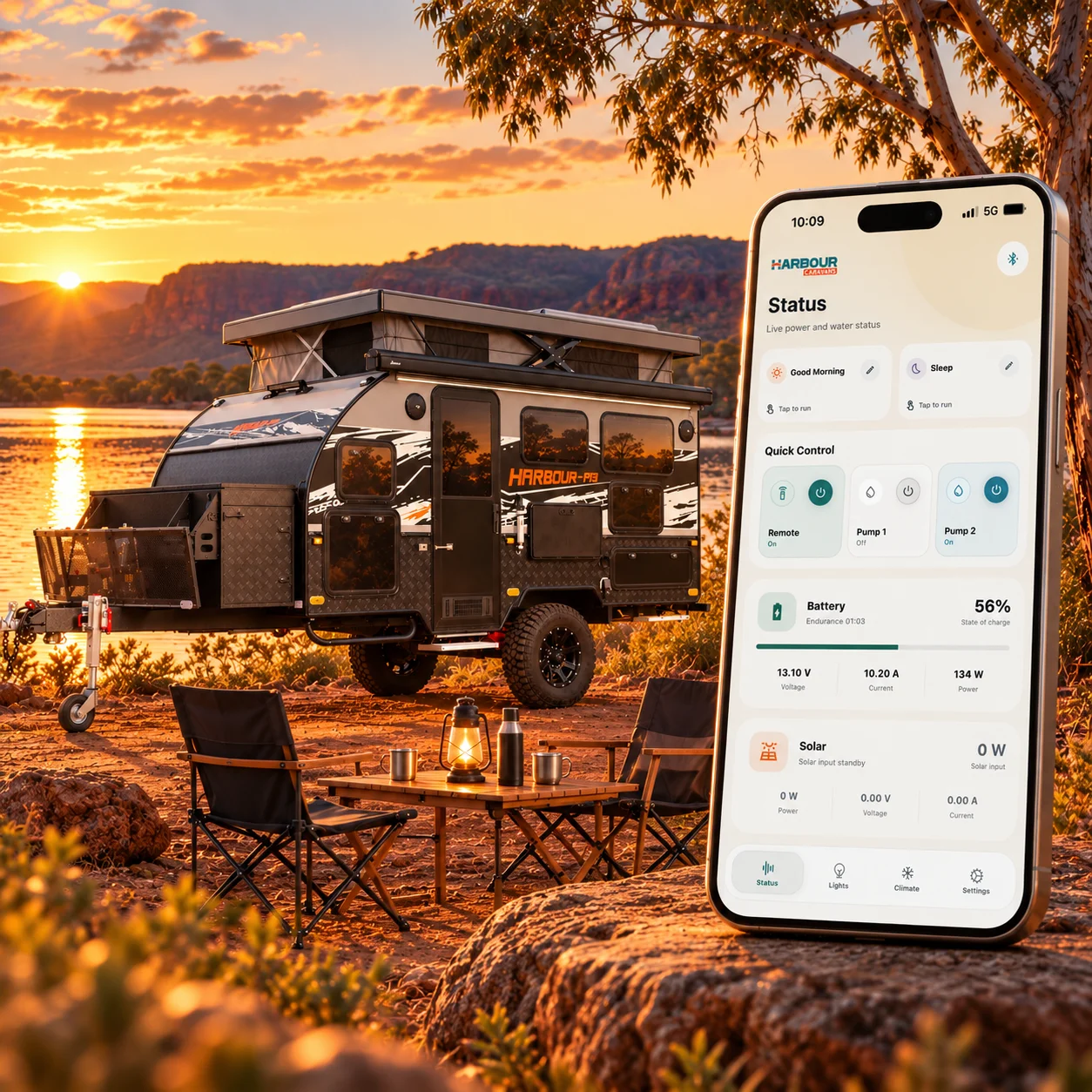
Simple local Bluetooth control for compatible Harbour equipment, with clear readings and shortcuts for everyday life on the road.
Explore the latest Harbour RV interface: Status, Lights, Climate and Me. Clear controls for your caravan, with useful owner tools a tap away.
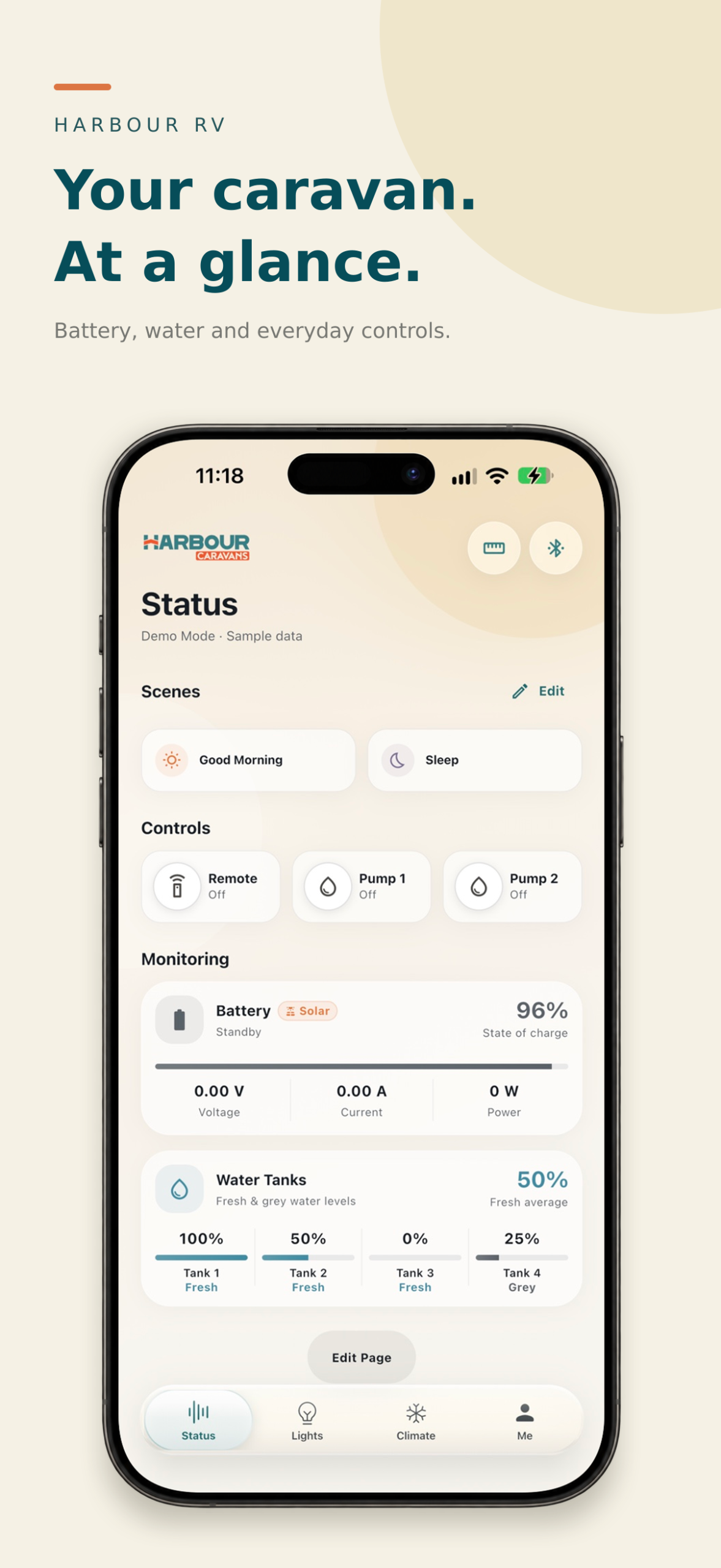
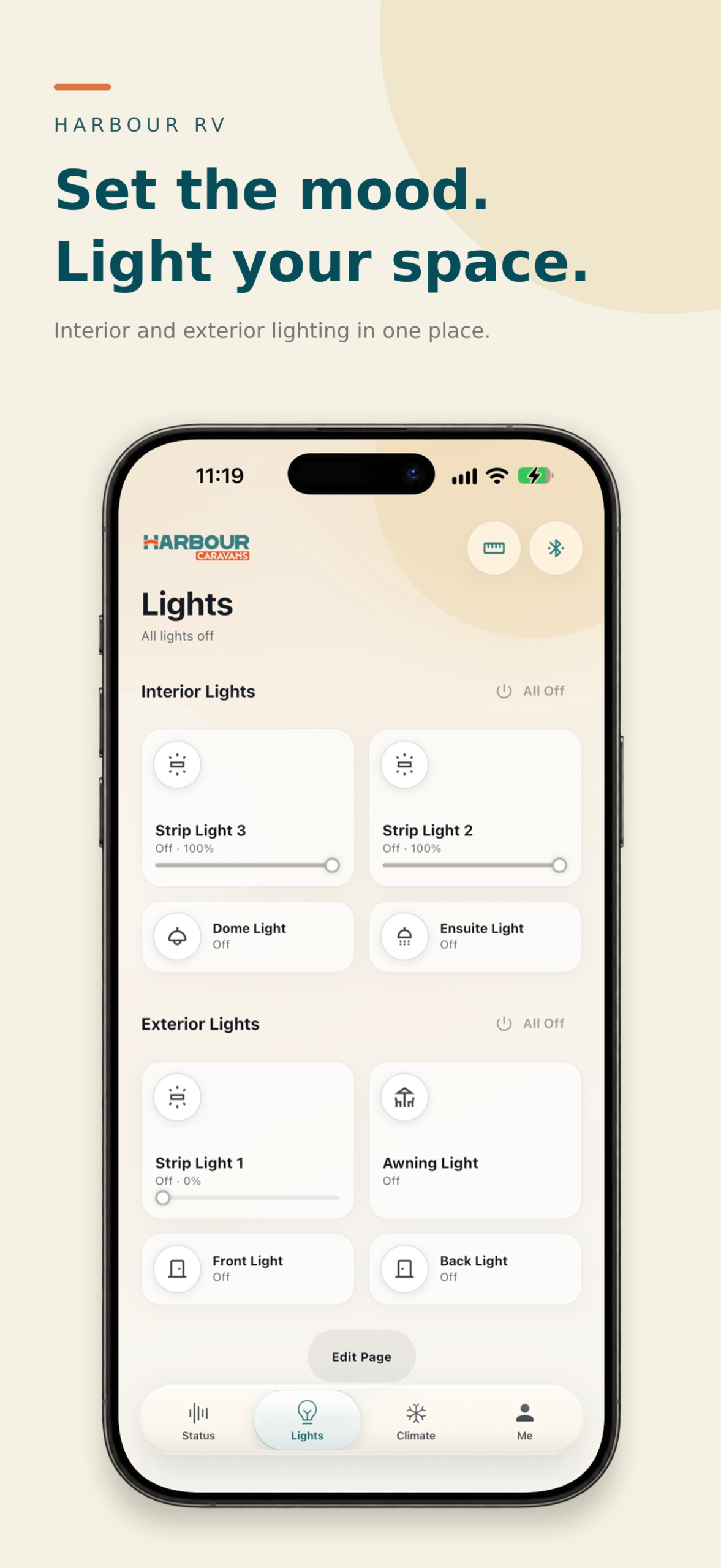
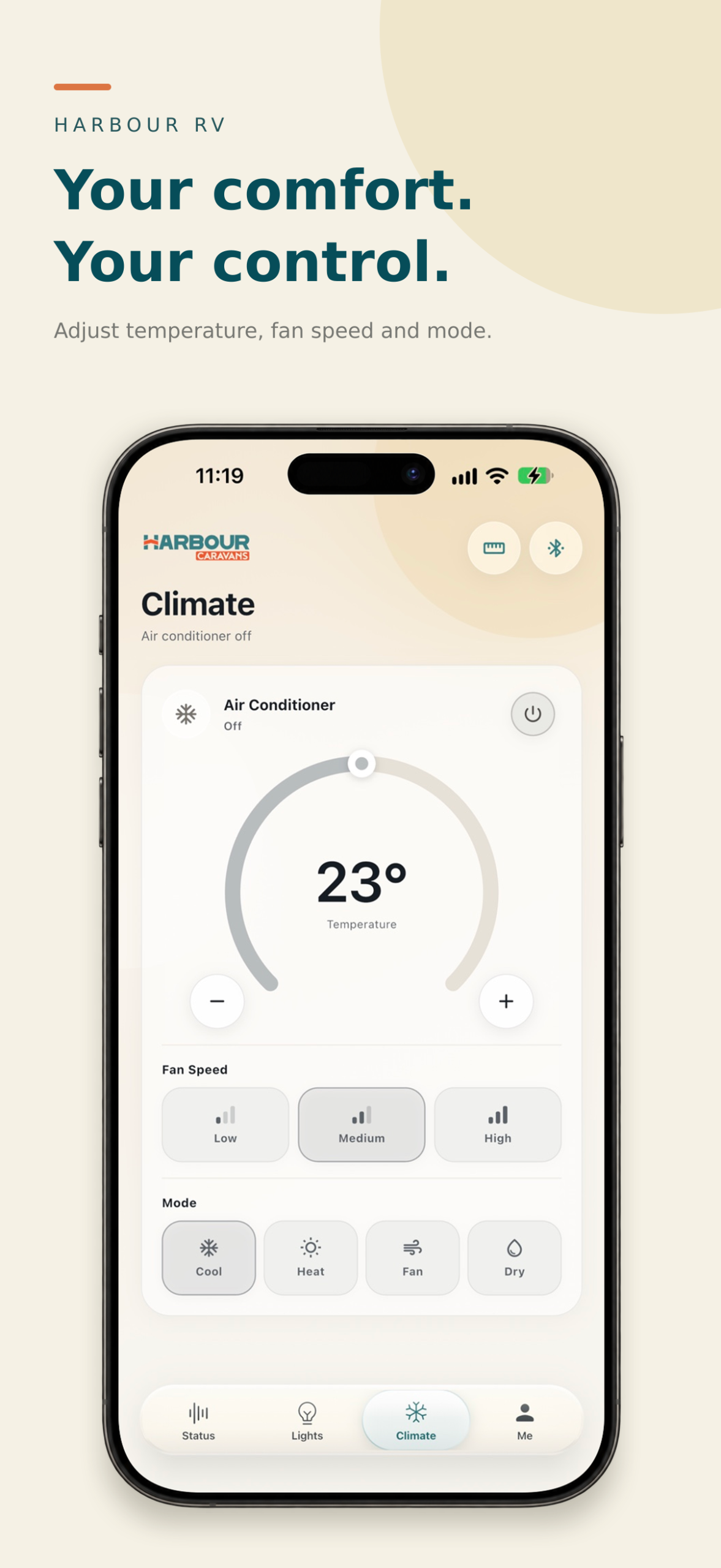
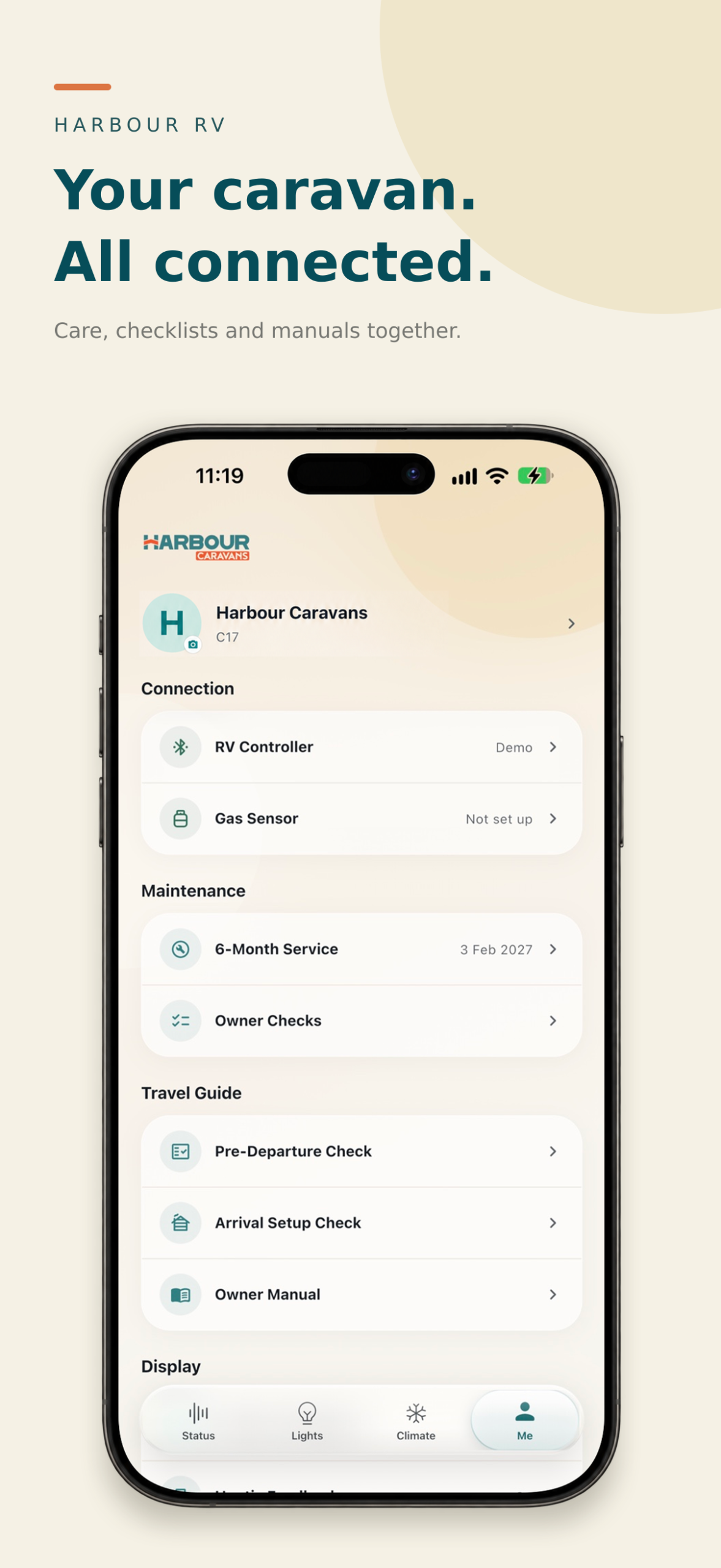
Screens shown in Demo Mode use sample data. Available controls and readings depend on the compatible equipment fitted to your caravan.
More than controls
From the first journey to the next service, keep the useful things together in Me.
Keep track of service dates and your own maintenance reminders. Eligible signed-in owners can view linked vehicle details and request a service booking. Your dealer confirms the appointment.
Work through Pre-Departure and Arrival Setup checklists, and keep your Owner Checks close at hand.
Read the included owner manual in the app, with online updates when available. Check the latest guidance before your next journey.
Save your app settings and profile photo to your Harbour account, then restore a saved copy when moving to another phone. Sign-in and internet access required.
Arrange cards, rename supported controls, choose your start page and save scenes for the way you use your caravan.
Manage your RV controller and supported gas sensors in one place. Level & Tilt is available with compatible equipment.
Owner account features require an email registered by your dealer and a linked vehicle where applicable. Hardware and service availability vary by caravan and dealer.
The app is designed around supported Harbour electrical and control hardware, keeping setup and day-to-day control simple for owners.
Control supported systems nearby without relying on a cloud connection.
Keep important supported battery, solar and water information visible in one place.
Choose your default page and tailor supported controls to suit your caravan layout.
Before you connect
Nearby control of supported equipment uses Bluetooth and does not require an internet connection. Owner sign-in, cloud backup, service requests and online content updates require internet access.
Controls, live readings, gas sensors and Level & Tilt depend on the compatible hardware fitted to your caravan. Ask your Harbour dealer to confirm compatibility. The app does not add equipment your caravan does not have.
Yes. Demo Mode lets you explore the interface using sample data before connecting to a controller.
Use the email registered by your dealer and enter the one-time code sent to it. For linked vehicles, available account features include vehicle information, service details and service booking requests.
Use Save in Cloud Backup to save a copy of your settings and photo to your account. Save again after changes you want to keep; Restore replaces the corresponding settings on this phone with the saved copy.
Vehicle control requires a nearby Bluetooth connection to compatible equipment. An owner account or internet connection does not provide remote vehicle control.
Harbour RV is available now on the App Store and Google Play.